Payments
One payment batch from the invoices you pick, uploaded to the bank — paid, and recorded, in one step.
- Time saved
- Easy to use
- In control
- Traceable
What you get
- One file for the bankpain.001, the version Dutch banks accept.
- Recorded as paidBy batch or by hand, each invoice’s own events.
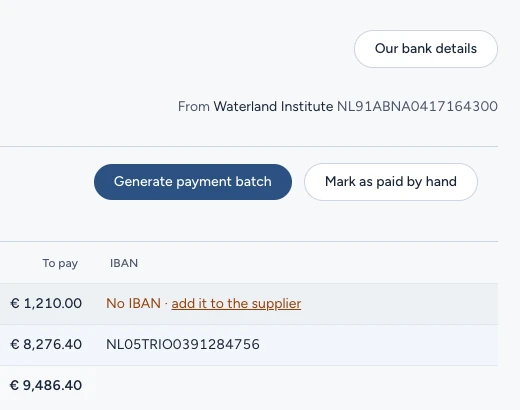
- Nothing slipsNo IBAN or a credit note: said in place.
payments-2026-10-20.xml
<?xml version="1.0" encoding="UTF-8"?><Document xmlns="urn:iso:std:iso:20022:tech:xsd:pain.001.001.09"><CstmrCdtTrfInitn><GrpHdr><MsgId>BEN-2026-10-20-01</MsgId><NbOfTxs>3</NbOfTxs><CtrlSum>8657.80</CtrlSum></GrpHdr><PmtInf><ReqdExctnDt><Dt>2026-10-20</Dt></ReqdExctnDt><Dbtr><Nm>Waterland Institute</Nm></Dbtr><CdtTrfTxInf><Amt><InstdAmt Ccy="EUR">2637.80</InstdAmt></Amt><Cdtr><Nm>Peat Supplies BV</Nm></Cdtr><CdtrAcct><Id><IBAN>NL91ABNA0417164300</IBAN></Id></CdtrAcct><RmtInf><Ustrd>2026-0932</Ustrd></RmtInf></CdtTrfTxInf>…</PmtInf></CstmrCdtTrfInitn></Document>